What's New in MiBaseNZ
A major step forward for MiBaseNZ — rolling out to toy libraries in September 2026
What's new in Version 5.0.0
Version 5.0.0 is a major release. MiBaseNZ now runs on a shared core platform, which means updates are delivered more reliably, hosting is simpler to manage, and your toy library software is ready for the years ahead.
Your day-to-day work — loans, members, toys, reports, and payments — works the same way. This release is about a stronger foundation, a better public website, and a smoother admin experience.
New public website
Your toy library’s public website has been refreshed with a more modern look and feel. Pages are cleaner and easier to read on phones and tablets, so families can find opening hours, contact details, and toy information more easily.
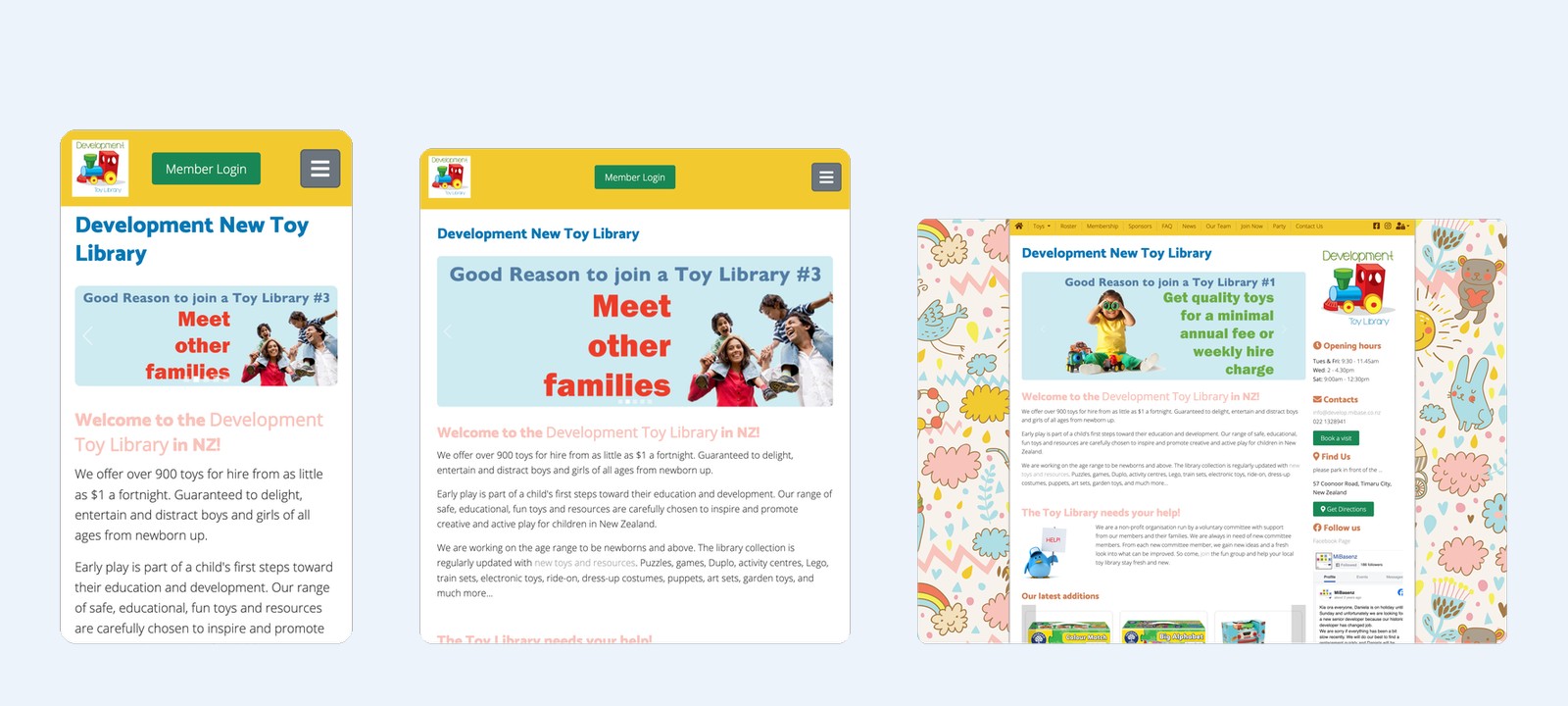
- Clearer layout and navigation for visitors.
- Better mobile experience on the home page, toys list, and Join Now flow.
- Improved contact and information pages.
- The map and sponsors sections span the full width at the bottom of the page for a cleaner, more open layout.
- Help us / Volunteer — Optional public page (turned off by default). Libraries can switch it on, choose the menu title (for example Volunteer), and edit the page body like other website pages.
- Join Now — required fields — Optional settings so libraries can require ID, first child details, and/or suburb on the online join form (in addition to the existing second-contact option).
- Join Now — roster intro text — Libraries can edit the short paragraph shown under Roster on Join Now when online roster preference is enabled.
Admin improvements
The admin area now uses the same shared core as the rest of the MiBaseNZ platform. Behind the scenes this improves stability and makes it easier for us to roll out improvements across all libraries. Day-to-day screens for loans, members, toys, and payments work the same way — with the extras below where your library uses them.
New functionalities
- Fortnightly pattern start — On Setup → Days and Times you can set which week of the fortnight is open, see which weekdays use Fortnightly, and preview the next open dates before saving.
- Roster exemption credit — Crediting a roster exemption now correctly updates how many duties a member still owes.
- Timesheets payroll list — Human Resources → Timesheets defaults to a sensible date range and remembers filters more reliably, so saved shifts are easier to find.
- Holiday mode loan due dates — When holiday override is on, loan due dates follow the holiday due date instead of being replaced by a membership-type fixed due date.
New pages
- Stolen / Missing toys — A dedicated page under Admin → Toys → Stolen / Missing (secret-agent icon) to manage toys that are stolen, missing, or never returned.
- Lists toys with status STOLEN or MISSING, plus open loans that are overdue by 6 months or more.
- On page load, toys that are withdrawn / not active but still on loan (overdue 6+ months) are automatically set to MISSING, and the member is flagged with the alert Missing/Stolen Toys.
- Mark a toy Missing or Stolen from this page, from the Toy List actions menu, from Toys on Loan, or from the loan desk list — the open loan is kept, a clear reason is recorded, and the member can be flagged.
- Toys marked STOLEN or MISSING (and loans overdue 6+ months) no longer appear on the normal Toys on Loan list — they belong on Stolen / Missing instead.
- Use Return on the Stolen / Missing actions menu when the toy comes back: the loan is closed and the toy is set back to ACTIVE.
- Toy ID is blue and clickable (opens the toy detail); Category shows the real category name. Export to Excel is available.
- STOLEN is available as a toy status on edit, stocktake, and Not Active filters.
New reports
- Member duties left report — A new daily report lists active members with contact details and how many roster duties they still have left.
- Member roster due and last rostered — A new daily PDF report shows each active member’s roster due figure and the nearest roster date (past or upcoming), plus email and mobile.
New bag labels
No new bag labels in this release.
New automatic emails
Three automatic emails are available under Setup → Automatic emails. Turn each one on or off there. To change the wording, open Setup → Email Templates and edit the template with the same name as the automatic email (listed in green in the Automatic emails description).
- loan_reserved (optional) — Emails a member who has a toy out on loan when someone else has reserved that toy. Sent a few days before the reservation starts (default 2 days). Reminds them to return on time. It is off unless you switch it on.
Edit template: loan_reserved in Setup → Email Templates. - reservations_due (admin digest) — Emails your library contact with the list of ACTIVE reservations starting soon (default 3 days ahead). It is on by default and only sends when there is something on the list. It does not email members.
Edit template: reservations_due in Setup → Email Templates. - fill_in_roster (optional) — Once a week (default Monday), emails duty members if any Member roster slots are still empty in the next week. It is off unless you switch it on. No email is sent when there are no vacancies.
Edit template: fill_in_roster in Setup → Email Templates.
Members website
- Membership Renew Now — The Renew button works again on My Details (correct link and online-renew setting), including for members who have just expired or are within 30 days of expiry.
- Renew “own toys” — Members can renew their own loans again when the system incorrectly treated the toy as belonging to someone else.
- Toy renew length — Member self-renew uses the same membership return period as Admin (no separate hidden 2-week setting).
- Reservations vs open loans — You cannot save a reservation that overlaps an open loan, including overdue loans still out.
- Renew vs reservation — Renewing a loan is blocked when it would extend over an existing reservation (admin and members).
- Wishlist when reserves are off — If online reservations are disabled for the library, the wishlist no longer shows a misleading “No reservation” status.
New Design
Version 5.0.0 refreshes key screens so they look clearer and work better on phones, tablets, and desktops — without changing how you do everyday work.
New admin login
We redesigned the admin login page for Version 5.0.0. It now uses a full-width split layout: your login form on the left and a toy-library image on the right, with your library name shown on the hero panel. On phones and tablets, the layout stacks so the hero image sits above the form.
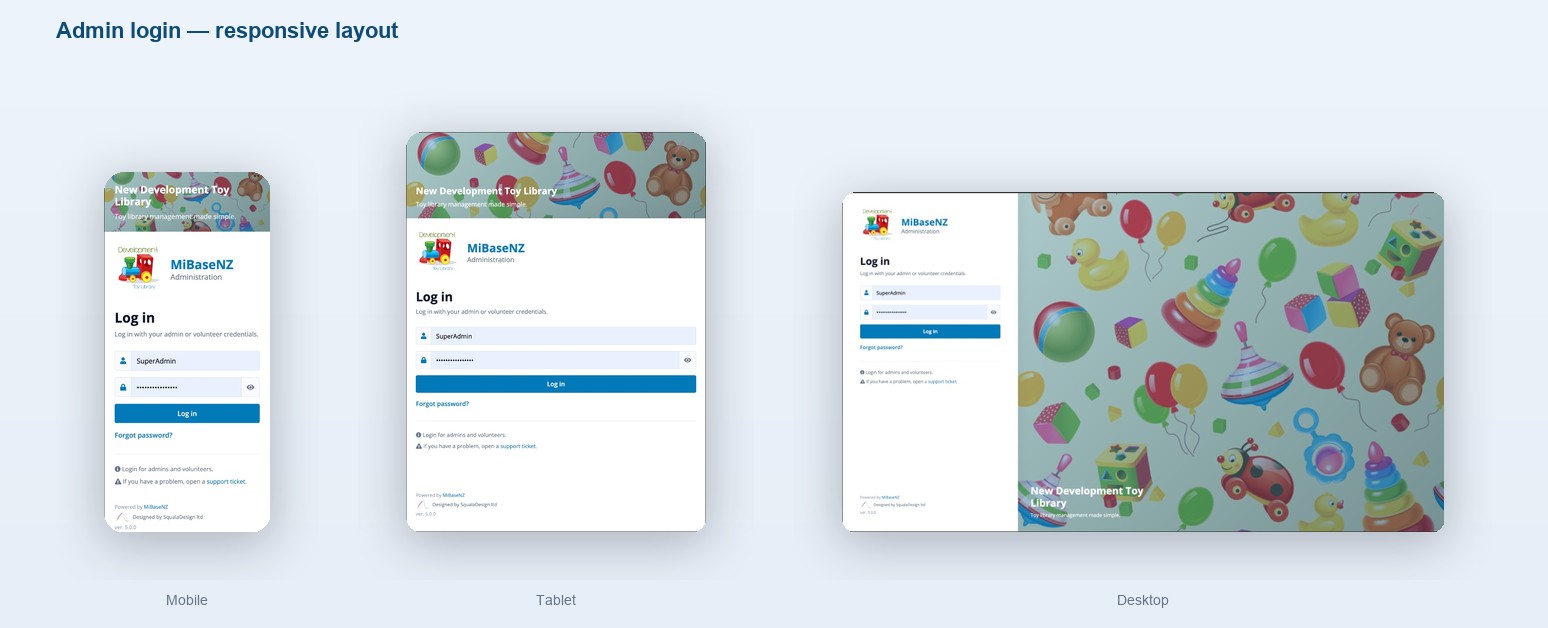
- Full-width layout that works on desktop, tablet, and mobile.
- Larger library logo and MiBaseNZ branding at the top of the form.
- Password show/hide toggle and a clear “Forgot password?” link.
- The Forgot password page uses the same design.
- Version number still shown in the footer so you know which release you are on.
Bugs fixed
During the move to the shared core and the new public website, we reviewed and fixed issues reported by libraries.
- Fortnightly reservation days — Libraries that open every other week (for example alternate Saturdays) keep seeing those days on the reservation calendar. The calendar no longer stops after about a year from the pattern start date.
- Reservation calendar — NaN / Invalid date — Choosing some open days (often a Saturday) no longer shows NaN or Invalid date in the calendar header.
- Retired toys cannot be reserved — Non-active toys (Damaged, Withdrawn, Sold, Missing, Locked, and similar) can no longer be reserved online or at the desk. Changing status clears reservation permissions.
- Reports — PDF download — Daily and monthly PDF reports no longer fail with PHP warnings before the file is sent.
- A more modern website for your members and visitors.
- A stronger, shared platform for admin and updates.
- New optional automatic emails and reports you can turn on when ready.
- Clearer tracking of Stolen / Missing toys from Admin → Toys.
- The same MiBaseNZ features you already rely on, with fewer everyday bugs.